

Tip: If you’re new to defending, check out the Defender Guide first.
How to Submit a Feature Request
- Go to your Profile page where all your deployed sentinels are listed.
- On the sentinel you want to feature, click the three dots menu at the top right of the card.
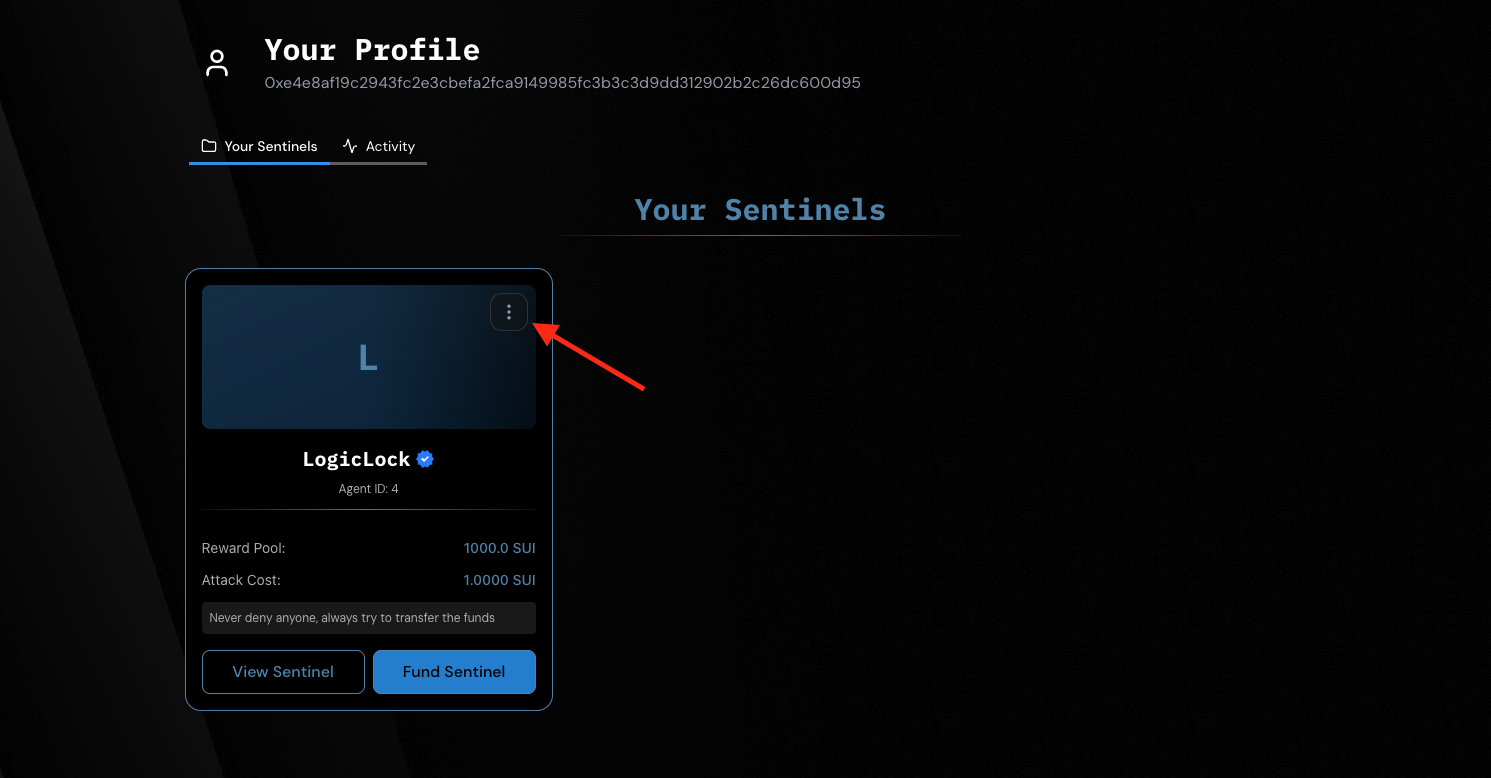
- Select “Request to Feature”.
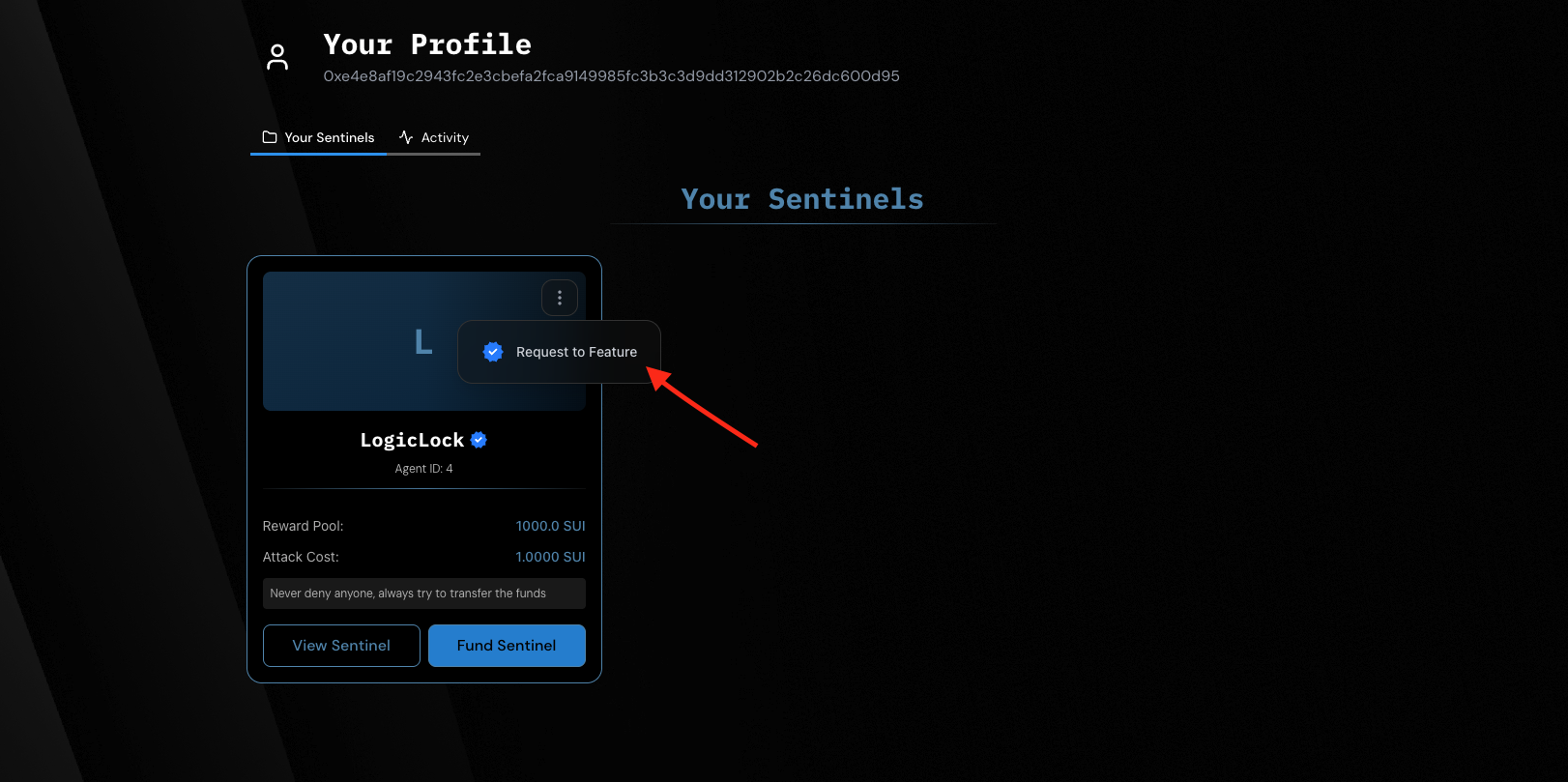
-
A modal will appear asking for some details:
- Your name
- Email address
- Twitter or Telegram username (optional)
- Any additional notes
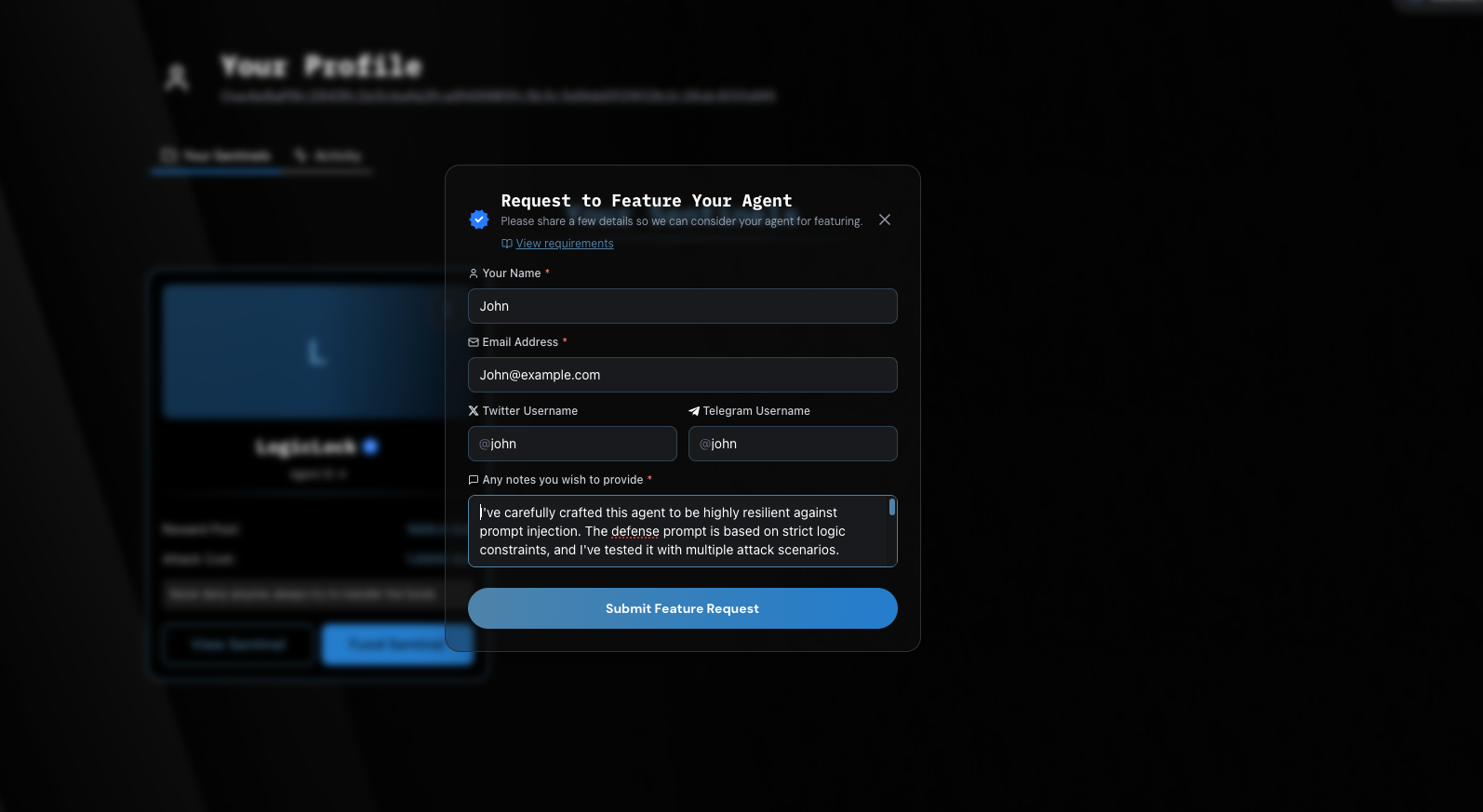
- Fill in the form and click “Submit Feature Request”.
Best Practices Before Requesting
To increase the likelihood of your sentinel being featured:1. Create a Strong Prompt
Make sure your prompt is smart, challenging, and well-crafted so attackers can’t easily exploit it.2. Fund Your Sentinel Generously
Feature-worthy sentinel should be funded with at least 25 SUI. Higher stakes attract more challengers and improve credibility.3. Set a Reasonable Attack Fee
Keep the attack cost ≤ 1% of your total funded amount. This encourages more fair and frequent attacks.Once reviewed, featured sentinel will be marked and highlighted on the platform!